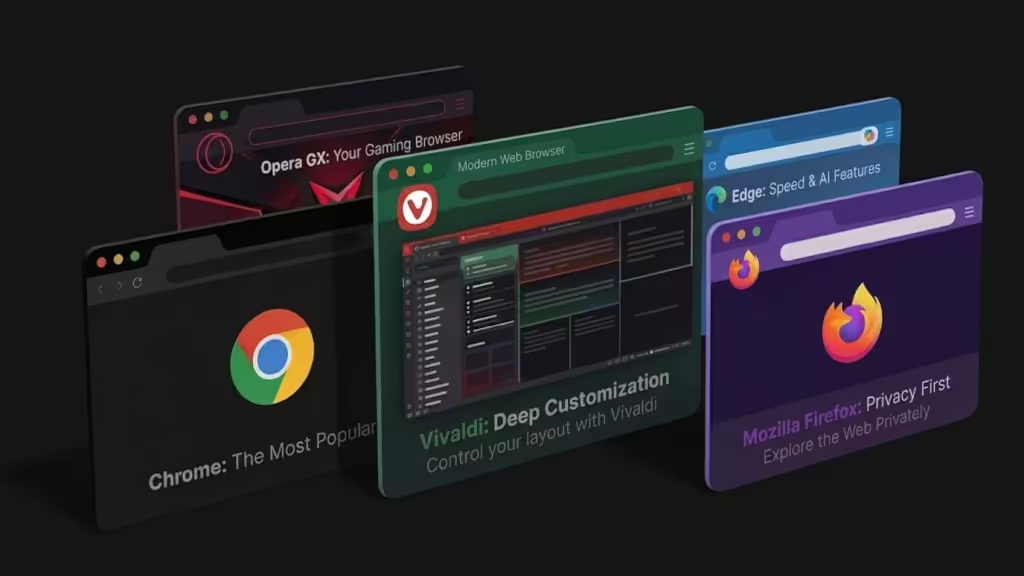
Modern web browsers in 2026 are defined by AI integration, a mature standards landscape, and a growing divergence between Chromium-based browsers and privacy-focused alternatives. This comprehensive guide provides detailed version information for each browser across all platforms, official download links, feature comparisons, and the latest updates shaping the browsing experience.
In 2026, the web browser market is more consolidated and technologically advanced than ever before. The browser you choose significantly impacts your privacy, workflow, and overall experience of the web. This guide examines every major browser—Google Chrome, Mozilla Firefox, Microsoft Edge, Apple Safari, Brave, Opera, Vivaldi, and Arc—with detailed version numbers for each operating system, official download links, feature comparisons, privacy assessments, and the new AI integrations that are reshaping how we interact with the web.
The 2026 Browser Landscape: Market Share and Key Trends
The global desktop browser market in 2026 is dominated by a few major players. According to Statcounter data from July 2026, Google Chrome leads with a 70.58% market share, followed by Microsoft Edge at 11.15%, and Firefox at 6.51%. This landscape is characterized by the overwhelming dominance of Chromium-based browsers, which together account for over 86% of the desktop market. Chrome, Edge, Brave, Opera, and Vivaldi all share the same underlying rendering engine, leading to a high degree of feature parity but also raising concerns about the lack of diversity in the browser ecosystem.
Complete Browser Version Guide by Platform (August–September 2026)
The following tables provide the latest stable versions for each major browser across all supported platforms, based on data from TestMu AI, Pcloudy, and official release channels.
Google Chrome
| Platform | Latest Stable Version | Release Date | How to Update |
|---|---|---|---|
| Windows (64-bit) | 150.x | July 16, 2026 | Menu > Help > About Google Chrome |
| Windows (32-bit) | 150.x | July 16, 2026 | Menu > Help > About Google Chrome |
| macOS | 150.x | July 16, 2026 | Menu > Help > About Google Chrome |
| Linux | 150.x | July 16, 2026 | Package manager or Google's Chrome repo |
| Android | 151.x | July 2026 | Google Play Store |
| iOS / iPadOS | 151.x | July 2026 | Apple App Store |
Official Download: https://www.google.com/chrome/
Key Updates in 2026: Chrome 150 added WebGPU enhancements, new CSS capabilities, and security patches. Chrome 151 on mobile includes performance hardening and updated V8 engine optimizations. Chrome 146 introduced support for optional container query conditions.
Mozilla Firefox
| Platform | Latest Stable Version | Release Date | How to Update |
|---|---|---|---|
| Windows | 152.0.6 | July 14, 2026 | Menu > Help > About Firefox |
| macOS | 152.0.6 | July 14, 2026 | Menu > Help > About Firefox |
| Linux | 152.0.6 | July 14, 2026 | Package manager or official site |
| Android | 152.0.6 | July 14, 2026 | Google Play Store |
| iOS | 152.0.6 | July 14, 2026 | Apple App Store |
Official Download: https://www.mozilla.org/en-US/firefox/new/
Key Updates in 2026: Firefox 153 is scheduled for July 21, 2026, bringing HDR video playback on compatible Windows systems, an enhanced PDF editor with merge and image insertion capabilities, experimental JPEG XL support, QR code sharing, and a new "End Private Session" button that clears private browsing data without closing the entire browser. Firefox 149 introduced support for optional container query conditions. Firefox for Android now includes AI controls for translation, voice search, and "Shake to Summarize."
Microsoft Edge
| Platform | Latest Stable Version | Release Date | How to Update |
|---|---|---|---|
| Windows | 150.0.4078.65 | July 9, 2026 | Menu > Help and feedback > About Microsoft Edge |
| macOS | 150.0.4078.65 | July 9, 2026 | Menu > Help and feedback > About Microsoft Edge |
| Linux | 150.0.4078.65 | July 9, 2026 | Package manager or official site |
| Android | 150.x | July 2026 | Google Play Store |
| iOS | 150.x | July 2026 | Apple App Store |
Official Download: https://www.microsoft.com/en-us/edge
Key Updates in 2026: Edge 150 continues to lead in AI integration with Copilot embedded in the sidebar, capable of summarizing pages, drafting emails, comparing products across open tabs, and performing agentic tasks. Edge 151 is scheduled for the week of July 30, 2026. Edge Workspaces, which allow distinct sets of tabs to be saved and shared, had been adopted by over 1.5 million enterprise users by 2025.
Apple Safari
| Platform | Latest Stable Version | Release Date | How to Update |
|---|---|---|---|
| macOS | 26.5.2 | June 29, 2026 | Software Update (ships with OS) |
| iOS / iPadOS | 26.5.2 | June 29, 2026 | Software Update (ships with OS) |
Official Download: https://www.apple.com/safari/
Key Updates in 2026: Safari 26.4 added support for display: grid-lanes (enabling masonry-style layouts), math functions in the sizes attribute of <img> elements, and Iterator.concat(). Safari 26.6 is expected in late July with bug fixes and quality-of-life updates. Safari now uses Apple Intelligence to automatically sort tabs into distinct topics and offers a "Notify Me" feature for monitoring page changes using natural language. With macOS 26, Safari introduced a proprietary way to turn sites into apps.
Brave
| Platform | Latest Stable Version | Release Date | System Requirements |
|---|---|---|---|
| Windows | 1.94.122 (Chromium 152.0.7977.83) | September 2026 | Windows 10 and above |
| macOS | 1.94.122 (Chromium 152.0.7977.83) | September 2026 | macOS 12 and above |
| Linux | 1.94.122 | September 2026 | DEB and RPM packages available |
| Android | 1.94.122 | September 2026 | Google Play Store |
| iOS | 1.94.122 | September 2026 | Apple App Store |
Official Download: https://brave.com/
Key Updates in 2026: Brave remains the most privacy-focused mainstream browser, blocking ads and trackers by default at the engine level and offering Tor integration. Brave's Leo AI performs inference locally where possible, avoiding sending page content to external servers.
Opera
| Platform | Latest Stable Version | Release Date | How to Update |
|---|---|---|---|
| Windows | 133.0.5932.60 | July 16, 2026 | O Menu > Update & Recovery |
| macOS | 133.0.5932.60 | July 16, 2026 | O Menu > Update & Recovery |
| Android | Latest | — | Google Play Store |
Official Download: https://www.opera.com/
Key Updates in 2026: Opera has introduced agentic AI features that can perform multi-step tasks across tabs on the user's behalf, and its Workspaces feature offers advanced tab management.
Emerging Browsers: Vivaldi and Arc
Vivaldi is the hyper-customizable browser for power users, offering a suite of built-in tools like an email client, calendar, and feed reader. Founded in 2014 by the co-founder of Opera, Vivaldi allows users to tile multiple web pages side-by-side, attach notes to bookmarks, execute complex keyboard command sequences, and customize every UI element. It is based in Norway, outside Five Eyes surveillance alliance jurisdiction, with configurable tracker and ad blocking.
Arc, developed by The Browser Company, replaces the traditional horizontal tab bar with a vertical sidebar that organizes tabs into Spaces—topic-based workspaces similar to virtual desktops. Arc includes a command palette accessible via keyboard shortcut, split view, note-taking, per-site CSS/JS customization, and an AI assistant layer (Arc Max) that can summarize pages and answer questions in context. Arc is primarily available on macOS and iOS, with a Windows version in development.
Feature Comparison Table
| Feature | Chrome | Edge | Firefox | Safari | Brave | Opera |
|---|---|---|---|---|---|---|
| Engine | Chromium | Chromium | Gecko | WebKit | Chromium | Chromium |
| Extension Ecosystem | Largest | Chrome-compatible | Robust | Limited | Chrome-compatible | Chrome-compatible |
| Built-in Ad Blocker | No | No | No | Partial (ITP) | Yes | No |
| AI Assistant | Gemini (native) | Copilot (native) | AI controls | Apple Intelligence | Leo AI | Agentic AI |
| Tab Groups | Yes | Yes | Yes (v138+) | Yes (iOS 17+) | Yes | Yes (Workspaces) |
| Vertical Tabs | No | Yes | No | No | No | No |
| Tracker Blocking Default | Privacy Sandbox | Basic | ETP (strong) | ITP | Aggressive | Moderate |
| Telemetry/Data Collection | Extensive | Moderate | Minimal | Moderate | Minimal | Moderate |
Privacy and Security Analysis
Privacy has become a key battleground for browsers in 2026. Brave and Firefox are your best options for privacy, with Brave blocking ads and trackers by default and Firefox offering Enhanced Tracking Protection. Firefox 151 enhanced fingerprinting protection, reducing unique fingerprinting identification by approximately 14% across all platforms (and up to 49% on macOS). Safari uses Intelligent Tracking Prevention (ITP) and offers fingerprinting protection by randomizing system configuration data. Chrome and Edge have faced criticism from privacy advocates, with Chrome's Privacy Sandbox shifting data collection from third parties to Google itself.
Performance Benchmarks
At this point, you won't notice much of a speed difference between browsers—they all feel fast and responsive. In synthetic benchmark tests (JetStream, Speedometer, WebXPRT), Chromium-based browsers generally lead, while Firefox often scores lower but performs well in the exhaustive WebXPRT test. The scores are similar across most browsers because they use the same Chromium rendering code.
Compatibility Recommendations
For most organizations, the recommended browser support policy in 2026 is the latest two major versions of Chrome, Edge, Firefox, and Safari, along with the current and previous major version of Safari on iOS and the current version of Chrome for Android. HTML5 is now a "living standard" and generally supported across all browsers, with no truly bad browsers remaining. Progressive Web Apps (PWAs) are fully supported by Chromium-based browsers (Chrome, Edge, Brave) but not by Firefox and Safari in the same way.
Official Browser Downloads
- Google Chrome: https://www.google.com/chrome/
- Mozilla Firefox: https://www.mozilla.org/en-US/firefox/new/
- Microsoft Edge: https://www.microsoft.com/en-us/edge
- Apple Safari: https://www.apple.com/safari/
- Brave: https://brave.com/
- Opera: https://www.opera.com/
- Vivaldi: https://vivaldi.com/
- Arc: https://arc.net/
Conclusion
In 2026, the choice of browser is less about compatibility and more about privacy, features, and the type of experience you want. For users who prioritize speed and extension support, Chromium-based browsers like Chrome or Edge remain excellent choices, with full support across Windows, macOS, and Android. For those who value privacy and an open web, Firefox and Brave are the strongest contenders, also available across all platforms. The integration of AI is becoming a standard feature across all major browsers, offering new ways to automate tasks and interact with web content on both desktop and mobile. Additionally, the emergence of specialized browsers like Vivaldi and Arc indicates a market that is continuing to innovate and diversify, even as the underlying technology becomes more uniform.
 Lorraine Hayes
Cloud Architect / Content Designer
eBits Tech Platform
@ eBits.icu